Lace Wallet FAQ: The Complete Help Center for Every Lace Wallet User (2026 Guide)

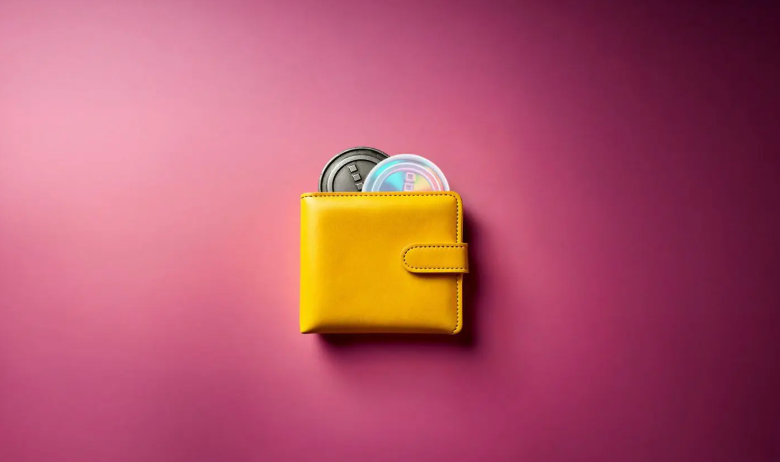
Lace Wallet FAQ: Everything You Need to Know
Whether you’re new to Cardano or already using decentralized applications (dApps), this complete Lace Wallet FAQ answers the questions users ask most often.
Lace Wallet is the official light wallet developed by Input Output, one of the organizations behind Cardano. It allows you to securely manage ADA, Cardano native assets, NFTs, stake your ADA, connect to Web3 applications, and explore the growing Cardano ecosystem—all while keeping full control of your private keys. (Lace)
What Is Lace Wallet?
Lace Wallet is a non-custodial wallet designed primarily for the Cardano . Because it is non-custodial, only you have access to your recovery phrase and private keys.
With Lace Wallet you can:
* Store ADA securely
* Send and receive Cardano assets
* Stake ADA
* Manage NFTs
* Connect to Cardano dApps
* Connect hardware wallets
* Manage multiple wallets
* Access Web3 services
Is Lace Wallet Safe?
Yes.
Lace Wallet includes several security features:
* You control your recovery phrase.
* Your private keys remain under your control.
* Hardware wallet support is available.
* Wallet data is encrypted locally.
* Transactions require confirmation before being signed. (Chrome Web Store)
However, your wallet is only as secure as your recovery phrase. Never share it with anyone.
How Do I Create a Lace Wallet?
Creating a wallet takes only a few minutes.
Step 1
Install the official Lace Wallet browser extension or mobile app.
Step 2
Select Create Wallet.
Step 3
Choose a secure password.
Step 4
Write down your 24-word recovery phrase.
Step 5
Verify the recovery phrase.
Step 6
Your wallet is ready to use.
Never store your recovery phrase online or in cloud storage.
How Do I Restore a Lace Wallet?
To restore your wallet:
1. Install Lace Wallet.
2. Choose Restore Wallet.
3. Enter your 24-word recovery phrase.
4. Create a new spending password.
5. Allow the wallet to synchronize.
Once synchronized, your ADA, native tokens, and NFTs will appear automatically.
What Happens If I Forget My Password?
Your password protects your local device only.
If forgotten:
* Restore your wallet using your recovery phrase.
* Create a new password.
Without your recovery phrase, the wallet cannot be restored.
What Happens If I Lose My Recovery Phrase?
Unfortunately, your wallet cannot be recovered.
Lace Wallet does not store:
* Your recovery phrase
* Your password
* Your private keys
Only you have access to them.
Can I Stake ADA With Lace Wallet?
Yes.
Lace includes built-in staking.
You can:
* Browse stake pools
* Delegate ADA
* View rewards
* Change stake pools
* Track staking history
Your ADA never leaves your wallet while staking. (Lace)
Can I Store NFTs?
Yes.
Lace supports:
* Cardano NFTs
* Native tokens
* Collectibles
* Digital assets
NFTs automatically appear after they are received.
Can I Connect to Cardano dApps?
Yes.
Lace Wallet connects directly to many Cardano decentralized applications, including:
* Decentralized exchanges
* NFT marketplaces
* Lending protocols
* Governance platforms
The browser extension makes connecting to Web3 applications fast and secure. (Lace)
Does Lace Wallet Support Hardware Wallets?
Yes.
Lace supports compatible hardware wallets, allowing you to approve transactions directly from your hardware device for enhanced security. (Chrome Web Store)
Why Isn’t My ADA Showing?
Common reasons include:
* Wallet still syncing
* Wrong wallet restored
* Wrong account selected
* Transaction still confirming
* Incorrect recovery phrase
Always verify your receiving address and transaction status first.
Why Is My Transaction Pending?
Transactions may take longer because of:
* Network congestion
* Internet connectivity
* Wallet synchronization
* confirmation delays
Most transactions confirm automatically.
How Long Do Transactions Take?
Typical Cardano transaction times:
* Less than one minute
* Occasionally several minutes during periods of high network activity
Can I Have Multiple Wallets?
Yes.
Lace supports multiple wallets and accounts.
Many users separate wallets for:
* Long-term savings
* Daily transactions
* NFTs
* DeFi activities
How Do I Receive ADA?
1. Open Lace Wallet.
2. Click Receive.
3. Copy your wallet address.
4. Share the address with the sender.
5. Wait for confirmation. (IOHK Support)
How Do I Send ADA?
1. Open the Send tab.
2. Enter the recipient’s address.
3. Enter the amount.
4. Review the transaction.
5. Enter your password.
6. Confirm the transaction. (IOHK Support)
Does Lace Wallet Charge Fees?
Lace Wallet does not charge additional wallet fees.
You only pay Cardano network transaction fees and any fees required by the services you use.
Does Lace Support Native Tokens?
Yes.
Lace supports:
* ADA
* Cardano native assets
* NFTs
* Governance tokens
What Is My Spending Password?
The spending password:
* Protects your local wallet.
* Confirms outgoing transactions.
* Encrypts wallet information stored on your device.
It is different from your recovery phrase.
Can Lace Wallet Freeze My Funds?
No.
Lace is non-custodial.
This means:
* Nobody can freeze your wallet.
* Nobody can access your assets.
* Nobody can recover your wallet without your recovery phrase.
How Can I Keep My Wallet Safe?
Follow these security best practices:
* Never share your recovery phrase.
* Only download Lace from the official website.
* Double-check website URLs before connecting your wallet.
* Ignore fake support messages.
* Use a hardware wallet for larger balances.
* Keep your browser extension updated.
Legitimate Lace support will never ask for your recovery phrase. (Lace)
Frequently Asked Questions
Is Lace Wallet free?
Yes. Creating and using the wallet is free. Only Cardano network fees apply.
Can I use Lace Wallet on multiple devices?
Yes. Restore the same wallet using your recovery phrase on another supported device.
Can I stake ADA in Lace Wallet?
Yes. ADA staking is built directly into the wallet.
Does Lace Wallet support NFTs?
Yes. You can store, receive, send, and manage Cardano NFTs.
Can I connect to Cardano dApps?
Yes. Lace connects to many Cardano Web3 applications through its built-in dApp connector.
Can I use a hardware wallet?
Yes. Lace supports compatible hardware wallets for additional security.
Can I recover my wallet without my recovery phrase?
No. Your recovery phrase is the only way to restore access.
Is Lace Wallet beginner-friendly?
Yes. Lace is designed with a clean interface that’s suitable for both beginners and experienced Cardano users.
Does Lace Wallet support multiple wallets?
Yes. You can create and manage multiple wallets within the application.
What should I do if I receive a message asking for my recovery phrase?
Ignore it. It is almost certainly a phishing attempt. Official support will never request your recovery phrase.
See also: When Blockchain Meets Leisure: The Merge of Gaming, NFTs, and AI
Final Thoughts
Lace Wallet has become one of the leading wallets in the Cardano ecosystem by combining security, simplicity, and powerful Web3 features. Whether you’re holding ADA, staking for rewards, collecting NFTs, or interacting with decentralized applications, Lace provides the tools you need while keeping you in full control of your assets.
The most important rule is simple: keep your 24-word recovery phrase safe and private. As long as you protect it and use only the official Lace Wallet application, you’ll be well positioned to securely explore everything the Cardano ecosystem has to offer.